What it does
Both resorts, one plan
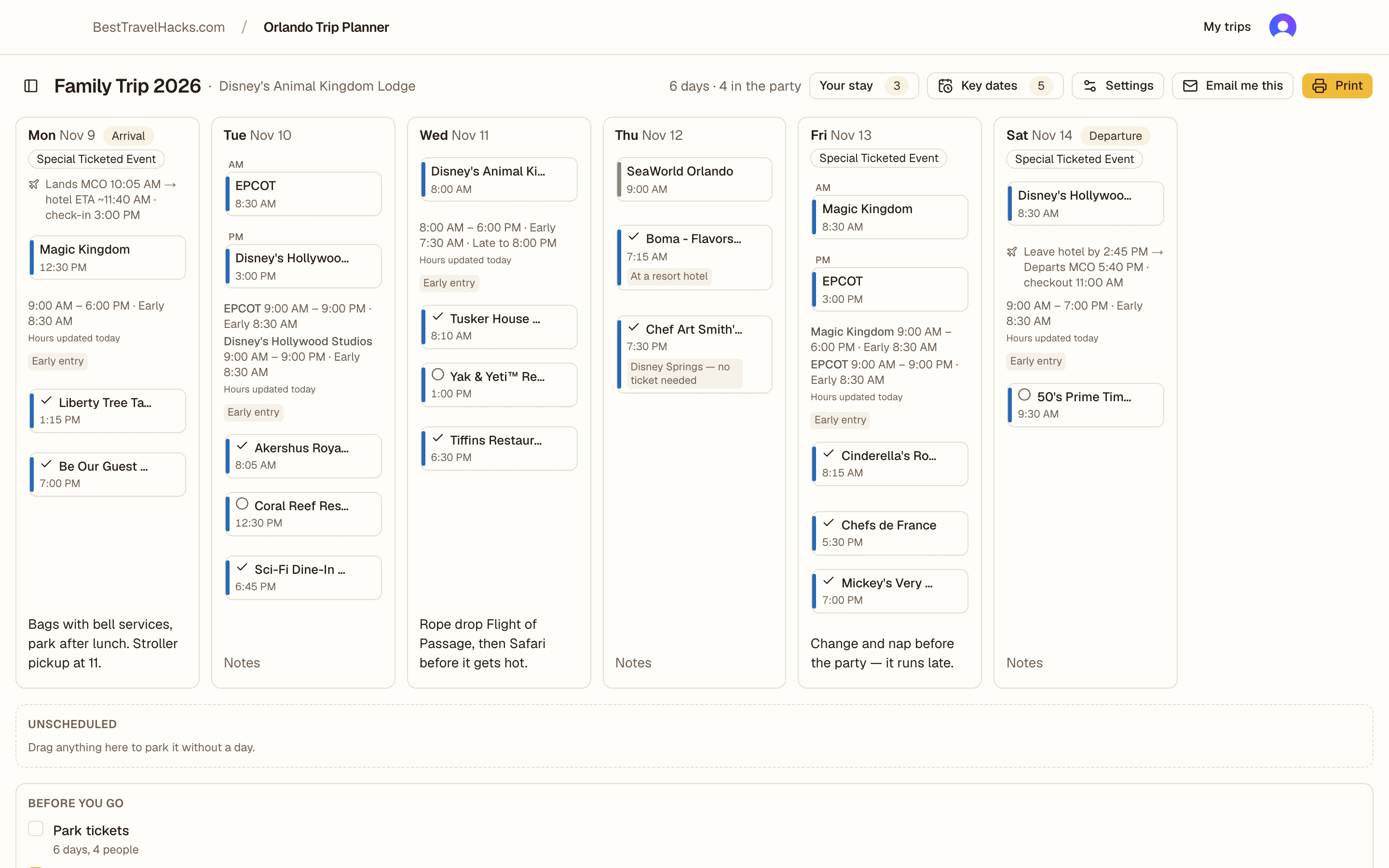
Disney and Universal days sit on the same calendar, colour-coded so a mixed day is obvious at a glance.
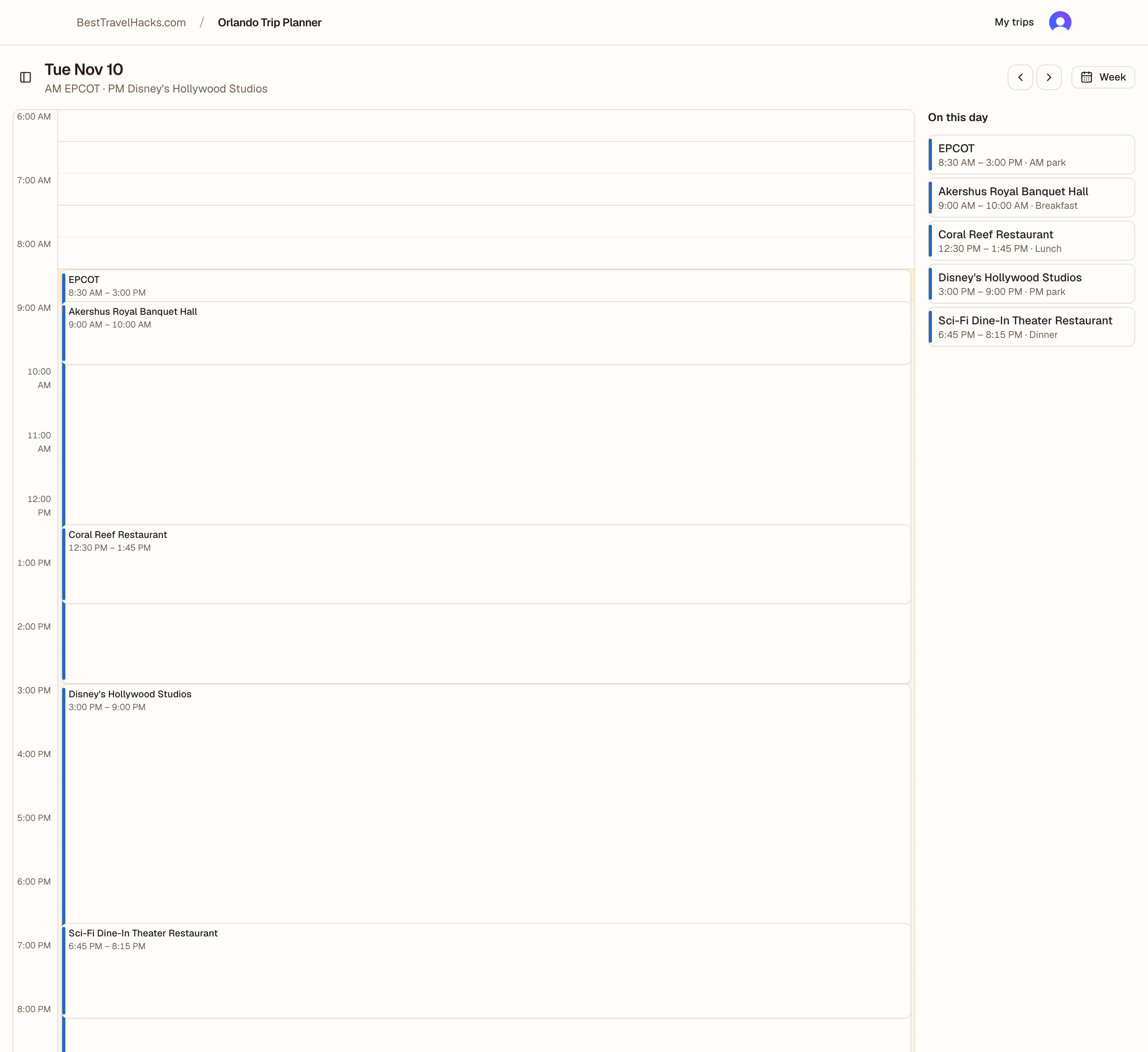
Park hours on every day
Published opening and closing times, early entry, and extended evening hours load onto each day card. You do not go looking them up.
Reservations that stay put
Mark a meal wanted, booked, or walk-up, and keep the confirmation number attached to the day it belongs to.
Key dates worked out
Booking windows counted back from your dates and where you are staying, with a countdown and a link to the official page.
Arrival and departure that make sense
Enter your flight and the planner works out when you actually reach the hotel, and when you have to leave it.
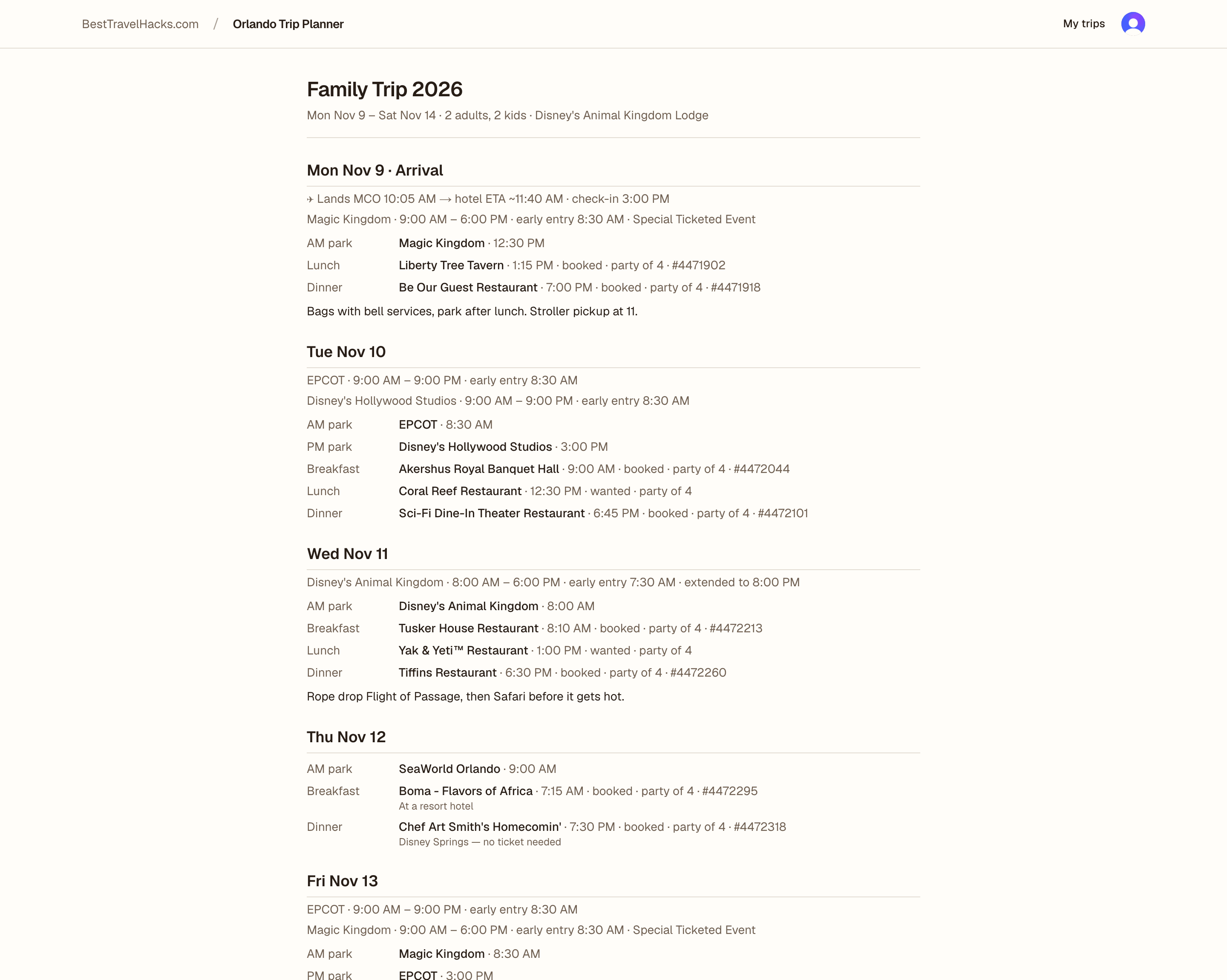
A printable itinerary
One clean section per day, ready to print or email to everyone coming.
Who it is for
The one adult who ends up owning the trip. You are doing this weeks or months out, on a laptop, and you want the whole thing on one page you can print and hand to everyone else. You are not a theme-park obsessive and you do not want a ride-by-ride optimiser — you want to know which park you are in on Thursday and whether you have a table booked.
Questions
- Is it free?
- Yes. The planner is free to use and there is no card to enter. We may earn a commission from some links, which is how the site pays for itself.
- Does it book anything for me?
- No. It never books, holds, or buys anything. When you are ready to book we link you to the operator's own site, and you do it there. Marking a meal as booked here just records what you already arranged.
- Can I really plan Disney and Universal together?
- That is the whole point. The official apps do not know about each other, so most families end up in a spreadsheet. Here both resorts share one calendar, and a restaurant that is not in today's park tells you so.
- Where do the park hours come from?
- ThemeParks.wiki, refreshed daily. Perks and booking windows come from the operators' own pages, and anything we have not verified recently is marked as such.
- Do I need an account?
- Yes, to save a trip. Sign in with email or Google. You can export a trip as JSON or delete it whenever you like.
- Does it work on my phone?
- Yes. Drag and drop is a desktop thing, so on a phone you tap to add to a day instead. Planning is easier on a laptop; checking the plan works anywhere.
Start with your dates — or without them
Dates, party, and where you are staying, and the calendar comes next. No dates yet? Look around a finished plan first — no account needed.
Planning the rest of the trip? Read our travel guides on the blog.
The Orlando Trip Planner by BestTravelHacks.com is an independent planning tool and is not affiliated with, endorsed by, or sponsored by The Walt Disney Company or NBCUniversal. Park, restaurant, and event names are trademarks of their respective owners and are used for identification only.
Some links on this site are affiliate links: if you click one and buy something we may earn a commission, at no extra cost to you. It never changes what we recommend. See ouraffiliate disclosure.
Park hours via ThemeParks.wiki.